
Creating Your kl108 Account
Starting an account on kl108 takes about five minutes. You provide your email address, create a password, and enter your full name and date of birth. Our system checks your email against our existing account list to prevent duplicate registrations. If the email is new, we send a verification link to your inbox—click it to confirm your email is real.
We require a strong password for your kl108 account: at least eight characters, including uppercase letters, lowercase letters, numbers, and symbols. Our password-strength indicator shows you in real time whether your chosen password meets these requirements. A strong password protects your account from brute-force attacks, especially if you access kl108 on public WiFi.
After email verification, we ask you to set up two-factor authentication (2FA). We send a code to your registered email address, and you enter it to confirm you own that email. This second layer of security means that even if someone learns your password, they cannot access your kl108 account without the 2FA code. You can also use an authenticator app (like Google Authenticator) instead of email codes if you prefer.
Know Your Customer (KYC) Verification on kl108
Before you can deposit or play on kl108, we verify your identity through our KYC process. This is a legal requirement in most jurisdictions where we operate. On the kl108 mobile app or iOS browser, you navigate to your Account settings and tap "Verify Identity." We ask for your date of birth, nationality, and identification document (ID card, passport, or driver's licence).
We request a clear photo of your ID's front and back using your phone's camera. Our system uses optical character recognition (OCR) to read your name, ID number, and issue/expiry dates. We compare this data against your account information to confirm they match. If there are discrepancies—for example, your ID says your name is "Ahmad" but your kl108 account says "Ahmed"—we ask you to correct your account details or resubmit your ID.
KYC verification typically completes within one business day. During processing, you can still explore kl108's free-play games or demo modes, but you cannot deposit real money or withdraw. Once approved, your account is fully unlocked. If we cannot verify your documents, we email you with specific instructions—for example, we may ask you to resubmit the photo in better lighting or provide an additional document.


Setting Up Your Payment Method on kl108
Once your KYC is approved, you can add a payment method to kl108. We support DANA, e-wallet, mobile banking, local payment, online payment, e-wallet, and direct bank transfers to mobile banking, local payment, online payment, and e-wallet accounts. On the kl108 app or iOS Safari, tap "Deposit" and select your preferred payment method from the list.
For e-wallets (mobile banking, local payment, online payment, e-wallet, mobile banking), the kl108 app redirects you to the payment provider's interface to authorise the transaction. You approve the payment in their app, and the funds appear in your kl108 account instantly. For local payment, we display a QR code you scan with any online payment-compatible payment app—this is fast and works across all major banks and e-wallets.
For bank transfers, we provide you with a unique account number linked to your kl108 account. You transfer funds from your bank app or at an ATM, and we credit your kl108 account within one to two business days. Some banks process transfers faster if both accounts are at the same institution—for example, transferring from e-wallet to mobile banking typically settles the same day.
Payment methods available on kl108
- E-wallets: local payment, online payment, e-wallet, mobile banking, local payment (instant settlement)
- QR code: online payment (works with all banks and e-wallets, instant)
- Bank transfer: e-wallet, mobile banking, local payment, online payment (1–2 business days)
- Deposits from Jakarta, Surabaya, Bandung, and Medan use the same methods
What the kl108 New Member Offer Includes
Our new member offer on kl108 comprises a credit allocation toward your first gaming sessions. Rather than a fixed bonus amount—which would violate advertising standards in many jurisdictions—we provide a promotional credit you can use on slots, live-dealer tables, or sports betting. The exact terms depend on your jurisdiction and account status.
To qualify, you must complete KYC verification and make a first deposit using one of our supported payment methods. The promotional credit is subject to wagering requirements, meaning you must play through the credited amount a certain number of times before you can withdraw any winnings. We display the specific wagering terms in your account dashboard under "Promotions."
Your kl108 promotional credit expires after thirty days if unused. This expiry window encourages you to explore our games while the offer is active. You can use the credit on any kl108 game—slots like Sweet Bonanza, Aviator, Gates of Olympus, or Fortune Tiger; live-dealer tables like blackjack or roulette; or sports markets covering Liga 1 and Piala AFF.
Starting Your First Game on kl108 Mobile
After your account is verified and you have added a payment method, you are ready to explore kl108's games. On the Android app, tap the "Games" tab to browse our portfolio. On iOS Safari, navigate to the Games menu. You see categories for Slots, Live Dealer, Sports, and Esports (including Mobile Legends and Free Fire).
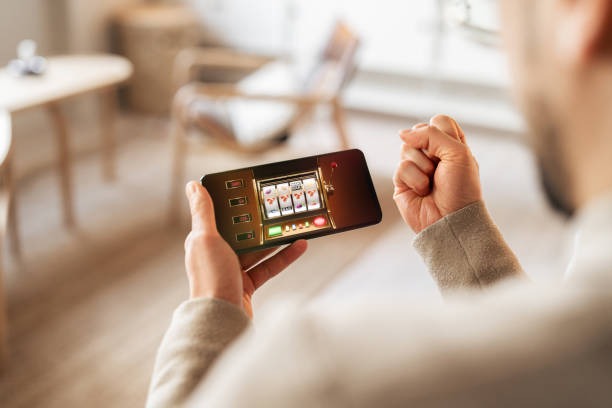
For slot games, tap to load the game, set your bet size using the on-screen controls, and tap "Spin." The reels animate on your phone, and results are determined by our certified random number generator. If you win, your balance updates instantly. If you run out of promotional credit, the kl108 app prompts you to add more funds using one of our supported payment methods.
For live-dealer tables, tap the table you want to join. The kl108 app streams video from our live studio to your phone—you see the dealer, feel, and table cards in real time. You place bets using on-screen buttons, and the dealer collects and pays winnings according to the game rules. Video quality adapts to your internet connection, so 4G and WiFi users get smooth playback without buffering.

Ongoing Account Security and Withdrawal Review
Your kl108 account security does not end after sign-up. We monitor all activity for unusual patterns—for example, if your account suddenly shows logins from a new city like Jakarta when you normally play from Surabaya, we may ask you to verify the login via email. This is a standard fraud-prevention measure.
When you request a withdrawal, kl108 reviews the transaction to ensure it complies with our anti-money-laundering policies. We check that your withdrawal destination matches your registered payment method and that your account activity is consistent with normal gameplay. Most withdrawals clear within one business day; complex cases may take longer and may require additional verification.
If you forget your kl108 password, tap "Forgot Password?" on the login screen. We email you a secure reset link valid for one hour. You click the link, enter a new password, and log in with your updated credentials. We never reset your password without your email verification, so no one can lock you out of your account.
Security best practices on kl108
- Use a unique, strong password with mixed character types
- Enable two-factor authentication on account creation
- Log out on shared or public devices before leaving
- Review your login history in Account settings regularly
Common security mistakes to avoid
- Never share your password or 2FA codes with anyone
- Do not use public WiFi without a VPN to access kl108
- Do not click email links claiming to be from kl108 unless you initiated the action